
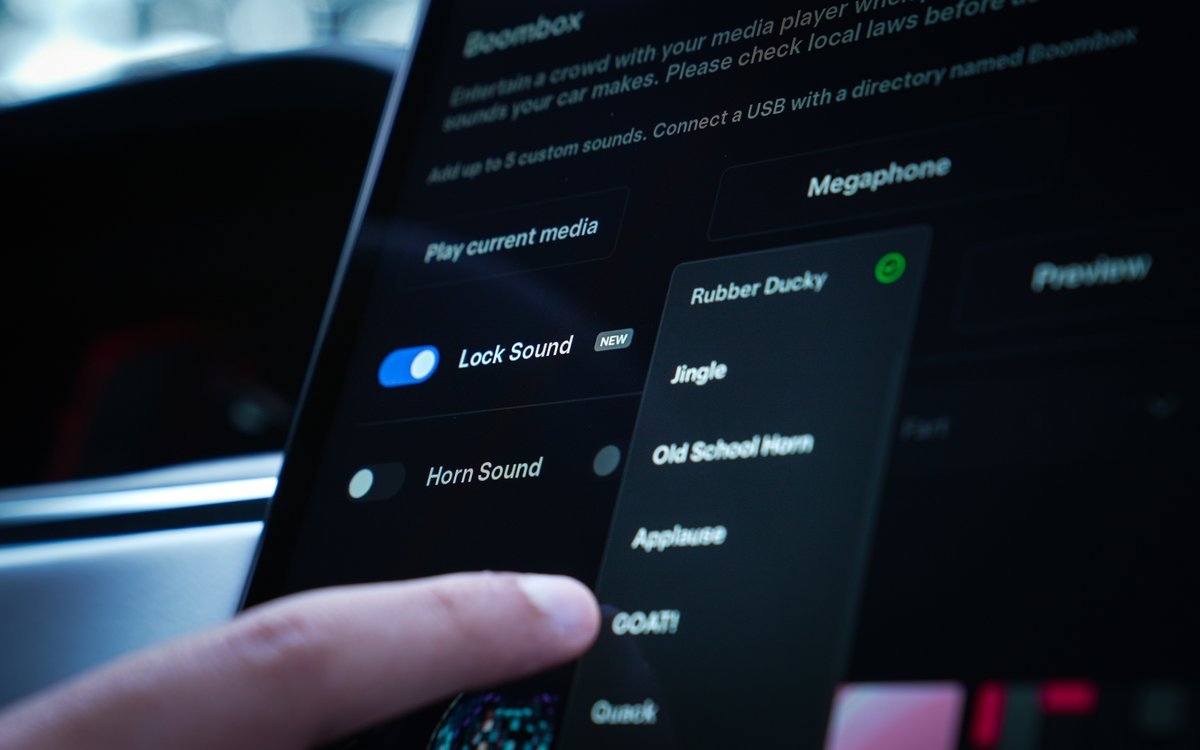
Tired of the factory lock sound on your Tesla?
Want something more unique and fun?
With just a USB drive and one minute of your time, you can make it happen — no hacks, no apps, just pure style.
1. Preparation
First, take out the USB drive that came with your Tesla — or any USB you regularly use in your car.
Then, choose a sound effect you like — download one online, or create your own from a movie quote, game sound, or even your pet’s bark!
⚠️ Important: The audio file must be in WAV format and under 1MB in size, or Tesla may not recognize it.
For the best result, keep the sound between 1–2 seconds.
Save the final file as Lockchime.wav.
2. Steps
- Insert the USB drive into your Tesla’s USB port.
- On the touchscreen, go to Toybox → Boombox → USB.
- Tesla will detect the Lockchime.wav file automatically. Just select it to activate.
3. Done!
That’s it! Next time you lock your car, it’ll play your custom sound instead of the default chime.
✅ Simple, Safe, Stylish
Simple, right?
No third-party apps, no risky mods — just a built-in feature that’s fun and easy to use.
Try it out and let your Tesla lock with style!


Leave a comment
This site is protected by hCaptcha and the hCaptcha Privacy Policy and Terms of Service apply.